
Loading Screen
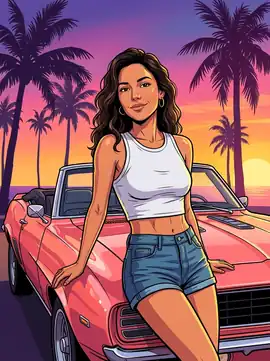
Hand-painted sunset portrait with bold ink outlines, golden rim light, and classic convertible framing.
The online GTA 6 filter for the Leonida era: upload a selfie, couple photo, or squad portrait to preview hand-inked loading-screen art, Vice City neon posters, and 5-star wanted covers — then explore trailer-style motion scenes right in your browser.
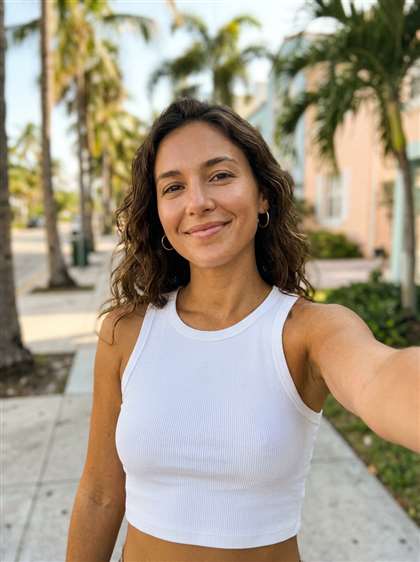
Upload a selfie, portrait, or couple photo
JPG, PNG, or WebP · Local browser preview · Clear lighting works best
Classic hand-painted GTA VI loading-screen portrait with bold ink outlines, cel shading, and a pink-purple Leonida sunset.
Interactive Studio Preview · Test presets instantly without sign-up · Live cloud AI rendering rolling out soon
Before
After · Loading Screen
Style Preview · HD
✨ Select any of the 13 art styles or 11 motion scenes on the left to inspect lighting and composition.
See how an ordinary smartphone selfie converts into Vice City key art. Drag the gold slider handle across the portrait or tap Before and After to inspect how our GTA 6 filter preserves facial identity while rebuilding the entire backdrop in cel-shaded ink.
Before
After · Loading Screen
A casual daylight sidewalk selfie transforms into a warm Leonida sunset portrait while preserving facial likeness, hair waves, and tank top.
Unlike generic cartoon apps, every preset below combines coastal Florida Art Deco architecture, neon reflections, and hand-painted character shading. Click any style card to load it directly into the studio above.
Hand-painted sunset portrait with bold ink outlines, golden rim light, and classic convertible framing.
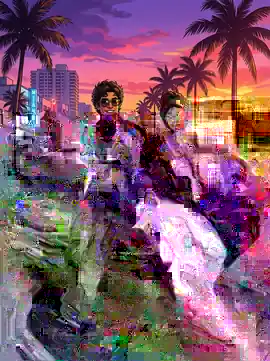
Iconic split-panel poster layout featuring palm silhouettes, helicopters, and coastal twilight colors.
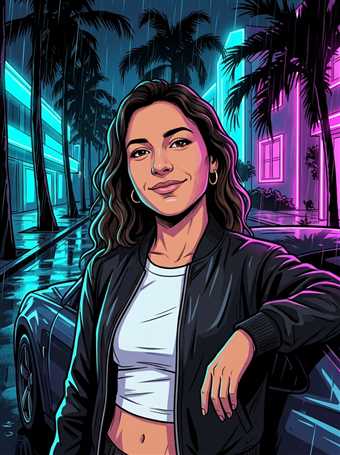
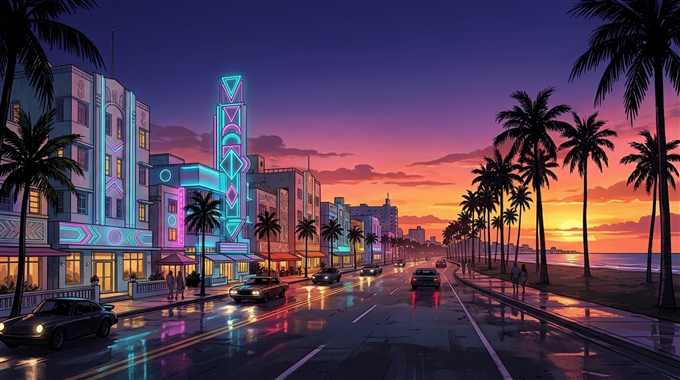
Rain-slicked Ocean Drive night scene lit by glowing cyan and hot magenta hotel neon signs.
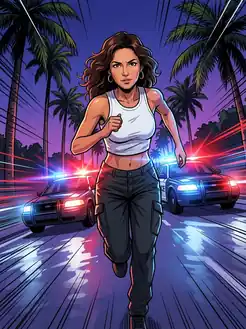
Action-packed pursuit poster with flashing red-and-blue sirens and high-contrast comic shading.
Turn a couple selfie into a Lucia and Jason style Vice City poster leaning on a vintage muscle car.
Want the viral TikTok and Reels loading-screen transition without installing CapCut? Pair any portrait with our 11 cinematic Vice City camera movements — from slow parallax trailer push-ins to neon night cruises.
Getting an authentic Vice City character portrait takes three simple steps on desktop, iPhone, or Android — with zero prompt engineering required.
Choose a well-lit smartphone selfie, mirror shot, couple photo, or up to four friends. Unobscured faces produce the sharpest facial likeness when cel-shaded contours are applied.
Select from 13 art styles — including Loading Screen, Cover Art, Vice City Neon, Leonida Beach, Wanted Mugshot, or Mafia Boss — and set your preferred aspect ratio from 1:1 avatars to 9:16 vertical lock screens.
Compare your portrait side by side, choose Standard mode to keep your original outfit or Detailed mode for a full streetwear makeover, and pair it with a trailer motion scene for TikTok or Reels.
Built for Discord, Steam, PlayStation, Xbox, and TikTok profile pictures, custom printable wall posters, couple covers, and high-contrast YouTube or Twitch stream thumbnails in 1K and 2K HD resolution.
Built for short-form social creators who want clean vertical 9:16 or widescreen 16:9 loading-screen reveals with subtle camera parallax, police strobes, and palm breeze animation — without mobile app watermarks.
Older cartoon filters inspired by Los Santos relied on heavy black comic outlines and muted yellow smog. In contrast, the modern GTA 6 filter aesthetic draws directly from tropical Leonida and Vice City key art: dramatic purple-to-flamingo-pink-to-burning-orange skies, pastel Art Deco hotels, wet asphalt neon reflections, and magazine-grade facial highlights.
When creators use a general AI chatbot to request a game portrait, faces often drift into generic characters. Our studio solves this with dedicated preset art direction — balancing bold graphic-novel ink lines against accurate eye shape, nose bridge, hairstyle, eyewear, and expression so friends immediately recognize you inside the poster.
Answers to the most common questions about turning photos into Vice City loading screens, multi-person covers, mobile browser support, and privacy.
It is a browser-based AI art and motion studio designed to transform selfies, couple portraits, and friend-group photos into the tropical neon illustration style of Leonida and Vice City — complete with cel-shaded ink lines, sunset skies, and classic muscle cars.
Upload a clear photo in the studio at the top of this page, pick any of the 13 presets such as Loading Screen, Cover Art, Vice City Neon, or 5-Star Wanted, select your aspect ratio, and click the gold generate button. Every preset already includes curated lighting and scenery instructions.
Switch the studio toggle to Trailer Video and choose from 11 motion scenes including Trailer Shot, Night Cruise, Police Chase, or Crew Walk. You can preview vertical 9:16 trailer motion directly in your web browser without installing mobile editing apps.
Yes. Standard mode prioritizes facial geometry, skin tone, glasses, and original clothing details while repainting shading and Vice City scenery, whereas Detailed mode adds a full Leonida streetwear makeover.
Yes! Choose Couple Cover (2P) for a two-person Lucia and Jason inspired sunset poster, or select Vice City Crew (4P) to combine up to four friends into one squad loading screen.
Never. Our studio uses a transparent pay-as-you-go credit pack model (starting at $6.99 on our Credits page) with zero recurring fees, and our interactive preset preview studio is currently open to test for free.
Yes. The entire studio runs directly in Safari, Chrome, and mobile browsers on iOS, Android, Windows, and macOS with no app download required.
Yes. In local preview mode your selected photo stays right inside your browser memory, and cloud generation requests are encrypted over HTTPS and never sold or used to train external models. See our Privacy Policy for full details.
GTA 6 Filter (gta6filter.online) is an independent AI fan illustration tool and is not affiliated with, endorsed by, or sponsored by Rockstar Games or Take-Two Interactive. Grand Theft Auto, GTA, and GTA VI are trademarks of their respective owners.
Try all 13 GTA 6 photo presets and 11 video scenes instantly in preview mode without registration. Cloud account sync is launching alongside live GPU rendering.
Our interactive front-end studio uses complimentary demo credits while cloud API checkout is being connected. Click below to refill your preview balance for free!
SHARE YOUR VICE CITY STYLE IDEAS